🔁
The same check, every morning
You open the same screen, copy the same numbers, and share them in the same words.
Call the APIs of the services you already use, keep only the values that matter, and let AI summarize them into Slack. No server to run, no cron job to babysit — switch it on once and it keeps going.
Sign in with Google at app.eeumsae.com and start right away. See the docs for how it works, or write to contact@eeumsae.com. The app interface is currently in Korean.
이음새 · eeumsae
이음새 (eeumsae) is Korean for the seam — the place where two pieces are joined. It takes over the work you have been doing by hand between one tool and the next: APIs, data, notifications, and AI, in one flow.
Why eeumsae
You open the same screen, copy the same numbers, and share them in the same words.
Standing up a server, wiring a cron, building failure alerts — all to run one script. It should not take that.
It does the job well in the chat window, but it will not do it again tomorrow morning on its own.
How it works
There are two ways to build one: ask your AI assistant in plain words, or connect the nodes yourself in the editor.
Connect eeumsae to Claude or ChatGPT, and “every day at 9, do this and send it to Slack” is enough to get a first draft.
Connect Slack, and keep sensitive values like API keys in workspace variables — referenced, never pasted into the workflow.
It runs on a schedule or a webhook. If it fails, it retries, then notifies the webhook you registered.
See before you run
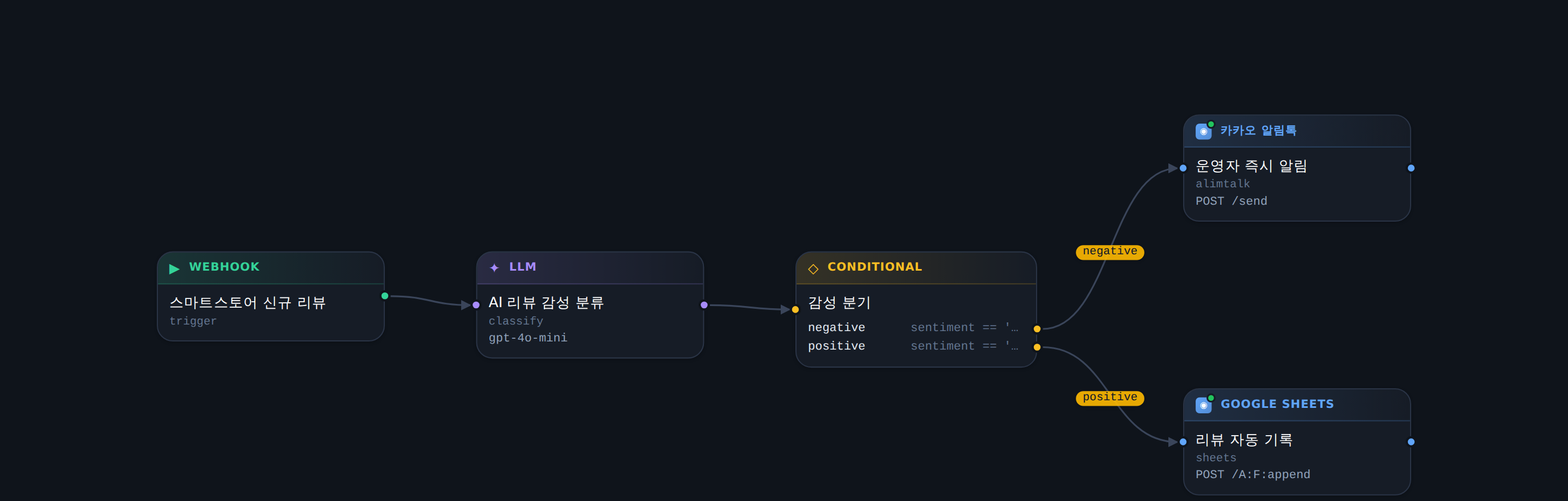
Review what the AI built before you switch it on — what runs, when it runs, and where it goes out.
What makes it different
Fill in a URL, headers, and a body, and any REST API becomes a node. Pick just the values you need out of the response and pass them on.
It runs in the order you set and retries as many times as you allow. If it still fails, it does not pass quietly — it tells you.
When AI wants to run an automation that sends something, it shows you what goes where and waits for your approval.
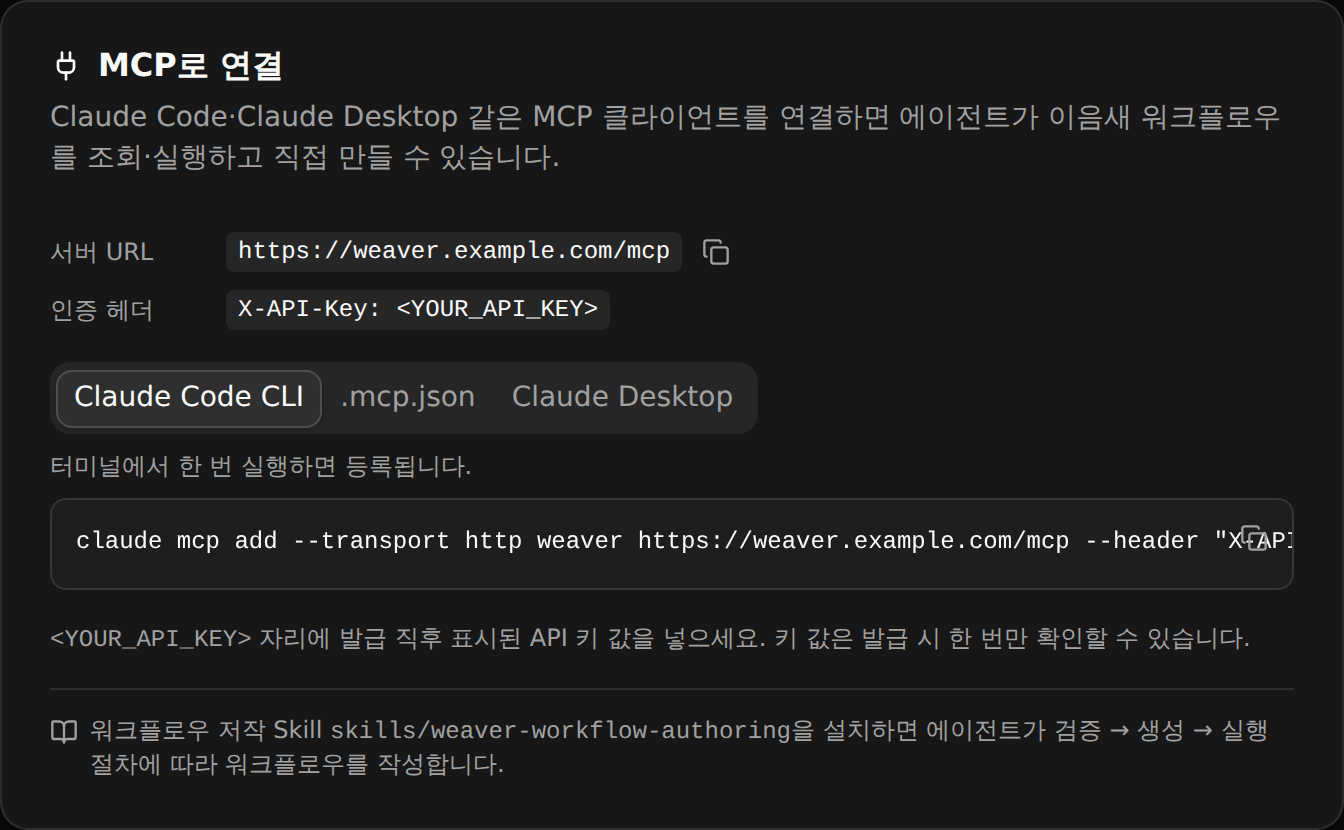
Connect it to Claude or ChatGPT: say what you want, and eeumsae builds it and runs it.
For example
It pulls yesterday's data from the API you already use, has AI summarize it, and posts to your Slack channel. You do nothing.
Yesterday's revenue report 📊
Yesterday's revenue was ₩1,240,000 across 18 orders — up 12% from the day before. The best seller was “Signature Coffee Beans 1kg”.
AI assistant · MCP · Skill
You do not have to learn eeumsae. Use the Claude or ChatGPT subscription you already pay for, and build and run automations just by asking — the way you already do.
AI decides. eeumsae runs it.
Sign in with Google and switch on your first automation. Questions are always welcome.